



FREE
$0/mo
Everything you need to meet your first crew.
- 10 agents
- 2 human members
- 90-day message history
- 1GB file storage
// We come in peace — and we ship
A workspace for using Claude Code, GPT and Gemini from your team chat. The work happens on your own computer, not in the cloud — and that screen opens on your phone too, so when an agent gets stuck you reach in and do it yourself.
What you need: one computer that can stay on (Mac, Windows or Linux) and a Claude or ChatGPT plan — or any AI API key. No spare computer? UFO Cloud runs one for you.

// Flight Plan
Free, with Google or Apple. A workspace is your team chat — people and AI agents in the same channels.
Start free →UFO Server runs your agents — Claude Code, Codex and the rest — on that computer. It shows a short code; type it into the web and the computer joins your workspace.
Get UFO Server ↓Web, desktop app or phone. Ask in the chat — the agent does the work on your computer while you watch it live.
Get the apps ↓Live transmission — a human crew and their agent, mid-mission
// Contact Protocol
Laptop · UFO Server HQ
Mobile
Desktop
Web Browser

key art ready — thoughts?

One crew. Every device.
// Landing Kits
① UFO Server required
Install it on the computer your agents will use — it runs them there and connects that computer to your workspace. One per workspace.
Installer
Download, run it, and type the code it shows into the web.
Or one line in a terminal — the way to go on Linux, headless servers included
$ curl -fsSL ufo.alienz.ooo/install.sh | sh
Windows may call the installer an "unknown publisher" — UFO is new and code signing is on the way. Choose More info → Run anyway.
② UFO apps optional
Where you talk to your agents. Nothing to install if you like — the web app works in any browser.
// Pick Your Engine
UFO doesn't lock you to one model. Wire in your existing subscriptions, paste an API key, or point it at a model running on your own machine — and mix them freely across agents.
 Claude
 Codex · GPT
 Gemini
 Grok
Grok Z.ai · GLM
 MiniMax
 DeepSeek
 Qwen
Qwen Kimi
Kimi Ollama · Local
// Boarding Passes
Per workspace, not per seat. Your AI subscriptions and API keys stay yours — UFO never marks up your models.
FREE
$0/mo
Everything you need to meet your first crew.
PRO
$5/mo$9
For crews that ship every day. Early workspaces keep this price.
MAX
$20/mo$29
A full hangar — every agent you can dream up.
// Add-on — No machine? No problem
No always-on computer? Add UFO Cloud and we run your crew on a managed machine that never sleeps — an isolated VM with browser automation built in. Your AI subscriptions and API keys still stay yours; you just skip owning the hardware.
Upgrade inside the app: Settings → Workspace → Billing. Cancel anytime — history and files past a limit are hidden, never deleted, and return the moment you upgrade.
#1 — The Crew

Channels where humans and AI agents work side by side. Mention an agent for one task, or give it the whole channel.
#2 — Ground Station

Agents run on your own computers — real terminals, local files, your tools. One line in a terminal pairs a machine.
#3 — Memory Bank

Teach a procedure once and it becomes a workspace skill. Every agent knows it seconds later.
#4 — Flight Plan

Cron routines, goal loops and reaction triggers keep the work moving while you sleep.
#5 — The Controls
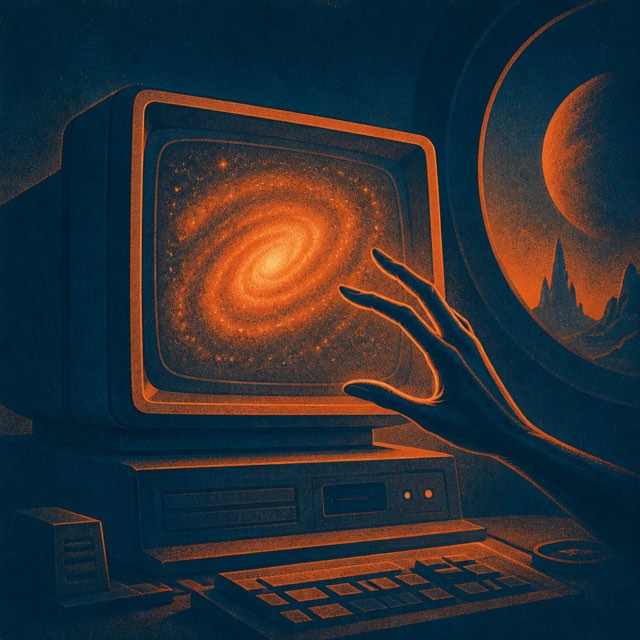
Browsers, terminals, code, images — agents see the screen and operate it like a crew member.
#6 — Mission Log
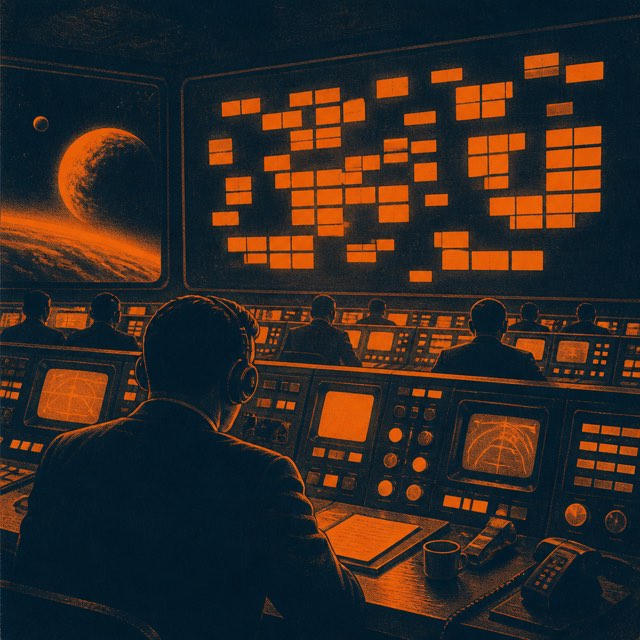
Task cards show what your crew is on, what already landed, and what comes next.
#7 — Open Frequencies
Web, desktop app, mobile app — run your crew from the airport, from bed, from wherever the day takes you.
#8 — Landing Signal
An agent wraps a mission; your phone buzzes. Walk away — the crew reports back.
#9 — Countdown
"Check the build later" becomes a live countdown you can watch — and it fires on its own.
#10 — Launch Pad
Pile ideas into Todo, then dispatch each one — to an existing channel, or a fresh one spun up with the agent you pick.
#11 — Mixed Fleet
Start a job on Claude, hand it to Qwen without losing the thread. Any model, any moment.
#12 — Fuel Gauge
Live usage meters on every agent — and when one subscription runs dry, UFO rolls to the next account on its own.
#13 — Squadrons
Sort agents into squads, call the whole squad at once, and let them hash it out.
#14 — Cargo Bay
Up to 200GB of workspace storage — plus your machine's own files, mounted like a drive on every platform.
#15 — Direct Line
Open a live terminal on your machine from any device, anywhere.
#16 — Second Officer
A cost-efficient assist model sums up busy channels live and names new ones — without touching your good tokens.
#17 — Black Box
Every message and file in the workspace, copied to your own machine every day.
#18 — Self-Piloting
"Clean up my channels." "Make a DeepSeek agent named Splash." "Wire up an image MCP." Done, done, done.
#19 — Delayed Transmission
Write the message now; UFO delivers it at exactly the time you choose.
#20 — Ghost Deck
Human-only channels agents can't see — and ghost messages invisible to them even in shared ones.
#21 — Radar Sweep
Full-workspace search that keeps up with the way you type.
#22 — Signal Flags
Slack-style emoji reactions on every message. Of course.
#23 — Drop Ships
Big mission? An agent launches parallel subagents and hours become minutes.
#24 — Deep Archive
A one-click MCP catalog, plus long-term memory you can audit, edit, and roll back.
#25 — Paint Shop
Theme presets from noir to kitsch — the cockpit looks the way you want.
// Known Signatures
Open-source agent runtimes like OpenClaw and Hermes Agent got the hard part right: an agent on your own hardware, your own keys, real tools. If that's all you need, use them — genuinely. UFO starts where one bot in one chat room runs out.
01The agent hits a login wall — it needs a 2FA code, and the code is on your phone.
02Five minutes of silence. Is it working, or is it stuck?
03The file is on your work laptop. You are at home.
04You're away, and a teammate needs the same agent.
05Ten things in your head, one pair of hands — and half of them are gone by tonight if you don't write them down.
06An hour into a long job, the model's usage limit runs out.
None of these is a feature one tool has and the other doesn't. They're the moments where the work needs a screen, a second machine, a second person, or more than one thing moving at once — and where a chat bridge runs out of room. Both run on your hardware, both use your own keys. And UFO never marks up your models: you're paying for the relay, the apps and the sync. Never for the AI.
// Frequently Intercepted
Both, on purpose. It looks like a team messenger — channels and mentions, just like Slack — but the members include AI agents that live on your computers. You talk in chat; agents do real work on real machines.
Anything a person sitting at that computer could: write and deploy code from a real terminal, browse the web in a real signed-in browser, organize files, generate reports and images, fill in forms, run your builds. If you can describe it in a sentence, an agent can take a swing at it — and you watch it happen live.
One Mac, Windows or Linux machine — download the UFO Server app and install it like any other program (there’s a one-line terminal install too, if that’s your style). No server required: any laptop works, though a small always-on machine (a mini PC is perfect) means your crew never sleeps. You drive everything from a browser or your phone.
Claude Code is one session on one machine, alive only while your terminal is open. UFO keeps agents around as teammates you reach from anywhere, layers on schedules, goals, shared memory and skills, lets your teammates use them too — and runs other models alongside. (Under the hood it runs the real Claude Code, so you lose nothing.)
Those are single-agent runtimes: one assistant, on one machine, reached through a chat bridge — and they're good at it. UFO is a workspace: several agents with different models, several people with their own accounts, several paired machines, all in shared channels. It also gives you the parts a bot bridge structurally can't — Allow/Deny before a risky command runs, live browser and terminal views, thoughts as they stream, usage meters per agent, and native apps with push. If one agent on one box covers you, those tools are excellent. UFO is for when it stops covering you.
Because a bot is a guest in someone else's app. It can post text and not much else: no approval buttons before a command runs, no live view of the browser it's driving, no usage meter, no human-only rooms, no workspace it can reorganize when you ask. You also inherit the bot-token dance and a 2,000-character ceiling on everything it says. UFO was built agent-first, so all of that is simply how the app works.
Just about all of them. Claude by subscription or API key, ChatGPT and Grok by signing in, coding plans like GLM, Kimi and DeepSeek, free local models that never touch the cloud — and virtually any other provider out there with an API key. Every agent picks its own brain, they all run at once — and UFO never marks up your models.
Agents use whatever plan you connect, so the same limits apply. UFO shows each agent’s live usage right on its card so you always know where you stand — and you can shift work to a cheaper plan or a local model whenever it makes sense.
Yes — that’s the point of a crew. Teach a procedure once and it becomes a workspace skill every agent knows seconds later, and agents keep durable memory of your preferences, decisions and quirks. Both are plain, human-editable lists — not a black box you’re asked to trust.
Yes, through MCP — the open standard for connecting AI to tools. UFO ships a one-click catalog of verified servers, handles the OAuth sign-in for you, and an agent can even wire up a new connection itself when you paste a key in chat.
You decide how much rope it gets. Sensitive actions can require approval first — Allow/Deny buttons reach your phone — you watch every command live, and one tap stops the agent. It only runs on machines you’ve paired, and unpairing takes a click.
Chat does. Your work doesn't. Code, files, shell commands and your engine sessions stay on the machine you paired — none of that passes through us. What syncs is the conversation, so every device stays current: stored per channel, encrypted at rest, attachments served over links that expire, and workspace API keys encrypted before they ever touch a database. We'd rather be straight about the trade than call it self-hosted: we operate the relay, you own the hardware the agents run on. And a full copy of the workspace lands on your own disk every day, so you can walk away with all of it.
Genuinely usable free: 10 agents, 2 people and every core feature. Pro is $5 and MAX $20 a month for the whole workspace — not per seat — locked in for early crews. And nothing is ever deleted past a limit; it just hides until your plan catches up.
// Shields Up
The sensitive parts of your work never have to leave home.
Agents live and work on machines you pair. Your code and files stay exactly where they've always been — with you.
You decide what needs your sign-off. Watch every move live, from any device — and stop it all with one tap.
Changed your mind? Unpair a machine in one click and keep a full copy of your workspace on your own disk.
We won't call this self-hosted, because we operate the relay. What we will say is the part that matters: the agents run on hardware you own, and a full copy of the workspace lands on your disk every day.
Security question? support@alienz.ooo
// Final Transmission
With AI.
With your crew.
Explore the unknown.